
Optimize your Adjust S2S implementation with Daam’s precision diagnostics

Adjust S2S Events InspectorAdjust S2S APIAdjust S2S Events & Debugging Tool

Transform your raw Adjust query strings into readable, validated insights instantly. This tool helps you catch formatting errors and parameter mismatches before they impact your attribution. Ensure your server-side events are firing perfectly with zero guesswork.

Overview

Adjust S2S (Server-to-Server) Events API is a bridge that allows your backend infrastructure (or a server-side container like sGTM) to talk directly to Adjust’s attribution engine. While most mobile marketing relies on an SDK (a piece of code inside the app) to report activity, the S2S API moves that responsibility to your server.

The Problem

For an sGTM (Server-Side Google Tag Manager) specialist, the Adjust S2S API is a double-edged sword: it offers powerful, secure tracking, but the URL-encoded POST body is difficult to debug.

Manually inspecting URL-encoded post bodies is time-consuming and prone to human error. When you’re staring at a string like the image below it’s nearly impossible to spot a missing brace or a misspelled parameter until the data fails to show up in your Adjust dashboard.

The  Daam Solution

We built this inspector as a critical pre-flight validation tool. It allows you to:

  • Validate before sending – Catch errors in your sGTM or backend logic before the data ever reaches Adjust.
  • Debug without Callbacks – If you don’t have server callbacks implemented on Adjust, this tool acts as your feedback loop, showing you exactly what Adjust expects to see.
This is an essential utility for Marketing Technologists using server-side Google Tag Manager (sGTM) or custom backend integrations who require 100% data accuracy.

Key Features

How to Use: Step by Step Guide

Debugging your Adjust events is as easy as 1-2-3:

Go to you Adjust App account. Select the desired app and copy app token. Proceed to App Events Tab and click  “Download Events List”. It will generate a CSV File.
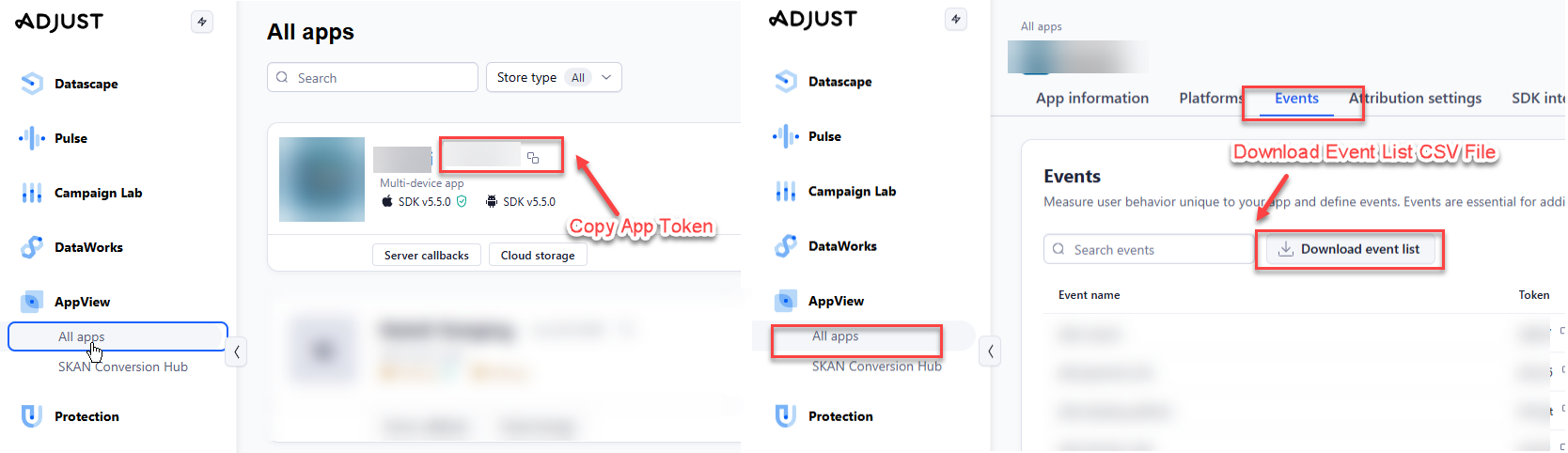
Adjust token and Event List

Click the “Dictionary” button. Paste your Adjust App Token and upload your event tokens CSV (Token, Name) to enable smart mapping.
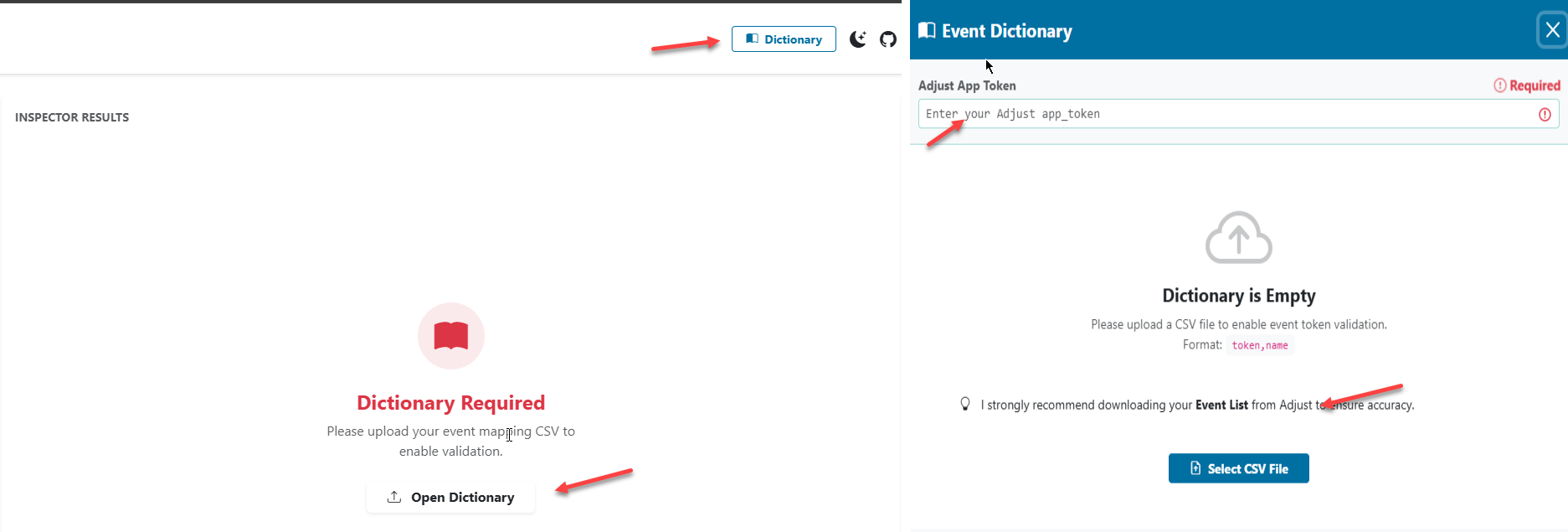
adjust event dictionary


Choose the monetary events you set on Adjust to record S2S revenue.

Mark Revenue Events


Copy the raw query or post body string from your sGTM preview mode or server logs and paste it into the “Raw Query String” box. Click “Process & Validate“.
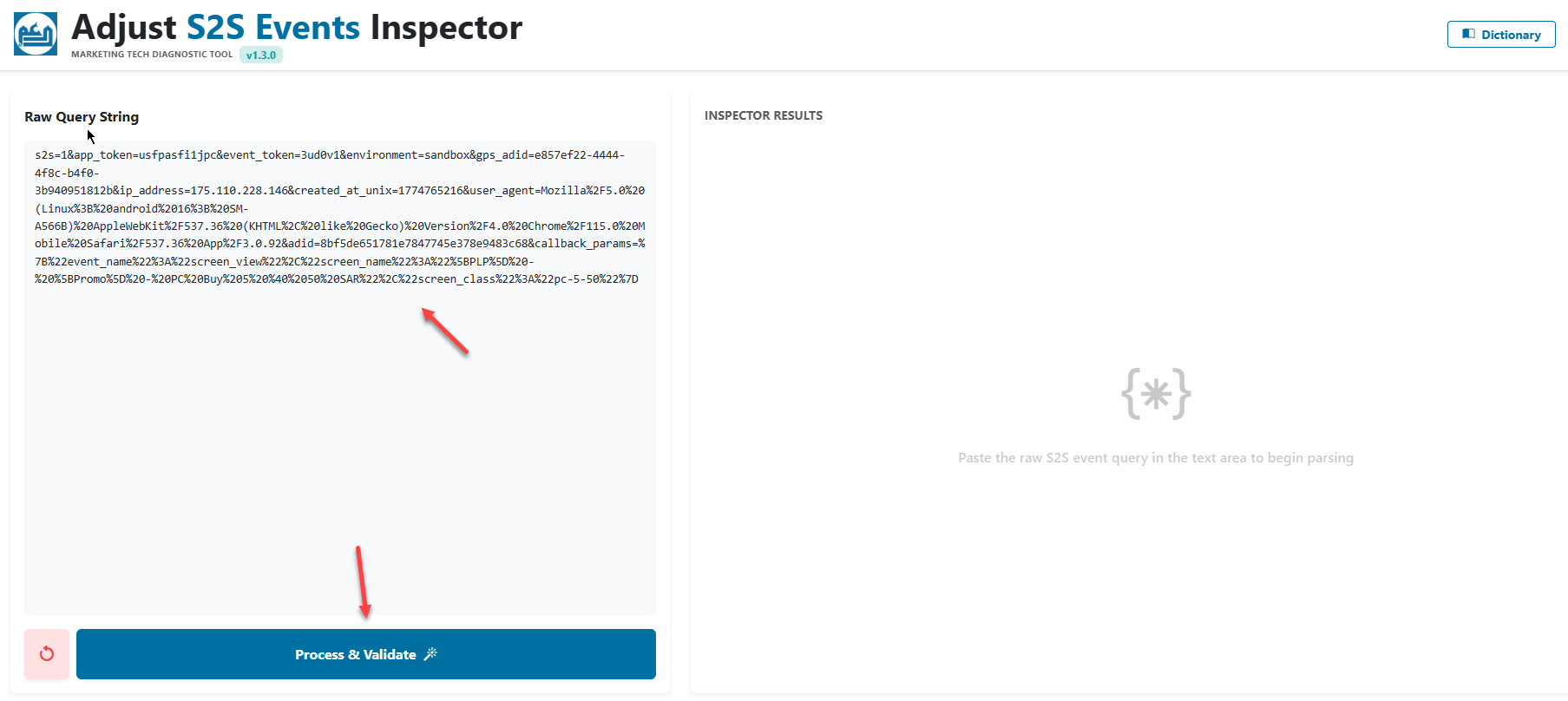
Paste And Validate

Review the “Compliance Alerts” at the top to see if your event is PASSED or FAILED. Any errors or recommendation will be highlighted  with clear instructions on what to fix. You can also check the json format of your post body for better readability.

Analyze Results

Visit your payload history to compare results.
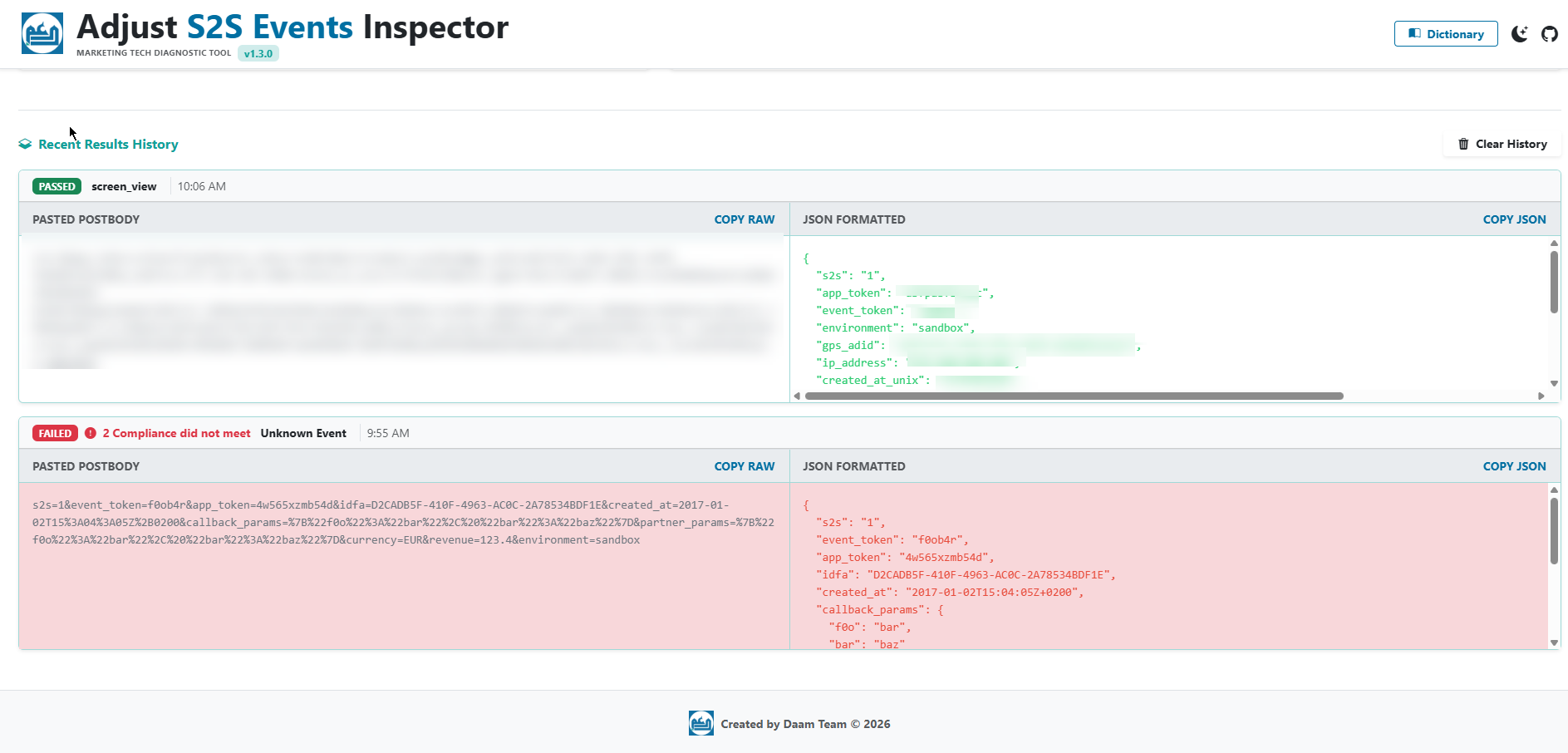
history result

Resources

Ready to streamline your Adjust implementation? Start inspecting now or contribute to the project on GitHub.

Let’s Talk Marketing Tech

Optimize Your Measurement Strategy

Implementing sGTM or Adjust S2S and not seeing the results you expect? Free free to contact us, as we,  the Daam Team specializes in Data Analytics, data tracking, and marketing automation.

Services *